I Used ChatGPT Go for a Month — It’s Great, But There’s a Caveat
Introduction
I paid for ChatGPT Go for an entire month, and honestly, I’m still not completely convinced that you should. After a month of using it, this ChatGPT Go review is really about one thing: whether the upgrade actually made my workflow better.
That might sound strange coming from someone who uses ChatGPT almost every day. But after spending a month with Go, I’ve come to a rather complicated conclusion: it is genuinely useful, it has made my workflow considerably easier, and yet ₹399 (around $4.50) a month still feels like a price I have to think twice about.
I didn’t subscribe because I suddenly needed a “smarter AI.” I subscribed because the Free plan had started getting in the way of how I actually worked. I was constantly uploading screenshots, analysing images, working on my website, researching things, and carrying long-running projects across conversations. The image-upload limits, in particular, had become frustrating enough that they were beginning to affect my workflow.
So, on August 1, 2026, I decided to pay for ChatGPT Go and see what would actually happen.
One month later, I’ve uploaded far more images than I ever could comfortably manage on the Free plan, used ChatGPT across my website and content work, analysed documents, researched topics, worked on YouTube-related tasks, and had conversations that stretched much further than I was used to.
And yes, Go is better than Free.
But here’s the uncomfortable part: better doesn’t automatically mean worth paying for.
There are still things that frustrate me. Its memory is better, but far from perfect. I still wish it could handle video generation more directly. And while ₹399 doesn’t sound like a fortune, I’m not convinced it represents the best possible value for everyone.
So after using ChatGPT Go as a real working tool for a month—not just playing around with it—I want to answer the question that actually matters:
Is ChatGPT Go worth paying for, or is the Free plan still good enough for most people?
Why I Finally Paid for ChatGPT Go
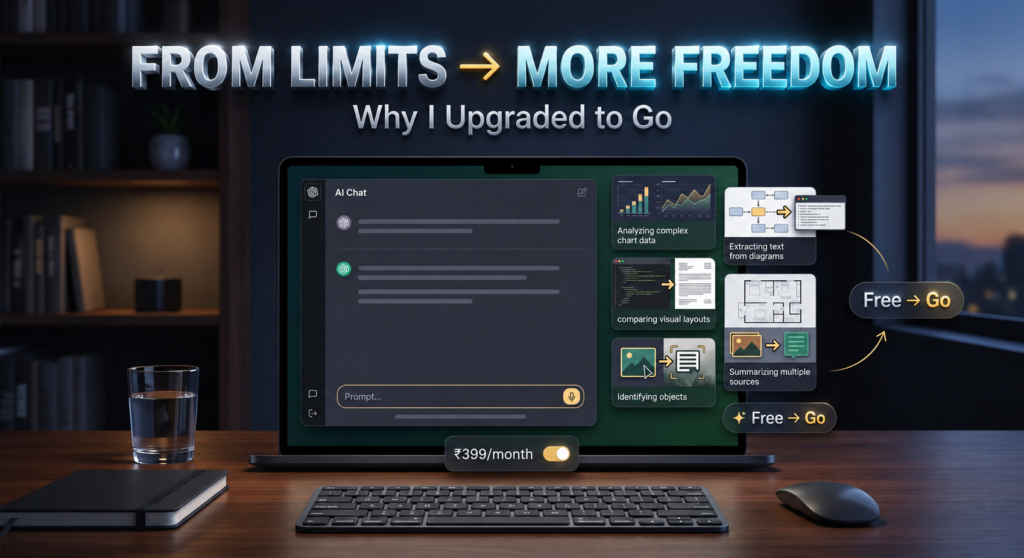
I didn’t wake up one day and decide I needed a paid AI subscription. In fact, for quite some time, the Free plan was enough for me. The problem started when ChatGPT became a much bigger part of my daily workflow.
I regularly use screenshots and images to explain what I’m working on or to get help with something I’m stuck on. Whether it was managing my website, understanding something on screen, checking a setting, or simply asking ChatGPT to analyse an image, uploading a screenshot was often the easiest way to get the help I needed.
And that’s where the Free plan started becoming frustrating.
The image-upload limit.
After around 8–10 uploads, I would start running into the limits, and that could be surprisingly disruptive when I was in the middle of something. It wasn’t just an inconvenience anymore—it was beginning to interfere with how I worked.
Memory was another reason. The Free plan’s memory was perfectly fine for casual conversations, but I had started using ChatGPT for much more than asking random questions. I was working on ongoing projects, managing my website, writing articles, planning content, and coming back to the same conversations repeatedly. I wanted ChatGPT to retain more of that context instead of making me explain things all over again.
That’s when ChatGPT Go started making sense to me.
I wasn’t expecting some magical transformation where ChatGPT would suddenly become a completely different AI. I simply wanted fewer limitations and a better experience for the way I was already using it.
So on August 1, 2026, I subscribed to ChatGPT Go.
My expectations were pretty straightforward: I wanted to upload significantly more screenshots without constantly worrying about hitting a limit, and I wanted better memory so that ChatGPT could retain more information related to my ongoing work.
At ₹399 (around $4.50) a month, it wasn’t a huge financial commitment—but it was still money I was choosing to spend on something I could technically use for free.
And that distinction matters.
I wasn’t paying because I wanted ChatGPT. I was paying because I wanted fewer reasons to stop using it.
My First Month With ChatGPT Go
The first thing I felt after subscribing to ChatGPT Go was honestly quite simple: relief.
I finally had the feeling that I could use ChatGPT without constantly thinking about when the next limitation would show up. That was exactly what I wanted when I paid for the plan in the first place.
And I started putting that extra headroom to use almost immediately.
I began uploading screenshots and images much more freely, especially when I needed help with something I was working on. One example that stands out is when I had to manually store a backup of my website on my own server. I used screenshots to walk through the process with ChatGPT, and it helped me understand what I needed to do step by step.
That might sound like a small thing, but for me, this is where ChatGPT Go started becoming more than just a paid version of an AI chatbot. It was becoming part of my workflow.
When I was working on multiple projects and moved from one project to another before returning to an older one later, ChatGPT would sometimes miss a few details from that earlier project. The interesting part was that if I reminded it about those details, it could usually pick them up again and continue from there.
And that, perhaps more than anything, changed the way I started using ChatGPT—not just as a chatbot, but as a tool I could actually build my workflow around.
What Actually Changed After Moving From Free to Go?
After using ChatGPT Go for a month, I wouldn’t say it suddenly became a completely different AI. In fact, for many everyday questions, the difference between Free and Go felt surprisingly small.
But the more I used it for actual work, the more obvious the differences became.
I’d rate the Free plan 4/10, while ChatGPT Go gets 7/10 from me overall. And interestingly, the biggest difference isn’t simply the quality of the answers. It’s the number of limitations you have to deal with.
With the Free plan, I often felt that something would become limited just when I was getting into my workflow. Image uploads were the biggest example. After roughly 8–10 uploads, I would often run into the limit, which was particularly frustrating because screenshots had become an important part of how I use ChatGPT.
With Go, that experience changed dramatically. I could upload images much more freely. Over the course of my month with the plan, I even uploaded 40–50 images in a single day without seeing a warning that I had reached an image-upload limit.
That made a surprisingly big difference to my workflow.
Memory was another noticeable improvement. I’d rate Free’s memory around 4/10, while Go gets 7.5/10 from me. For a casual user who only asks ChatGPT a few questions, Free’s memory may be perfectly adequate. But once you start using ChatGPT for ongoing projects, work-related conversations, and tasks that require context from earlier discussions, the difference becomes much easier to notice.
Go still isn’t perfect here. As I mentioned earlier, I occasionally found it forgetting details when I switched between different projects and returned to an older one later. But after reminding it, it was generally able to pick things back up. So I’d call this a meaningful improvement, but not a complete solution.
Response quality also felt slightly better to me on Go, particularly when I asked more complex or complicated questions. In normal scenarios, though, I’d say Free and Go were more or less similar. I wouldn’t subscribe to Go solely because I wanted slightly better answers.
Speed was similar too, for the most part. I didn’t suddenly feel that every response was dramatically faster after upgrading. However, I did notice that image analysis and image generation could feel quicker in some situations.
The biggest difference for me, however, was long conversations.
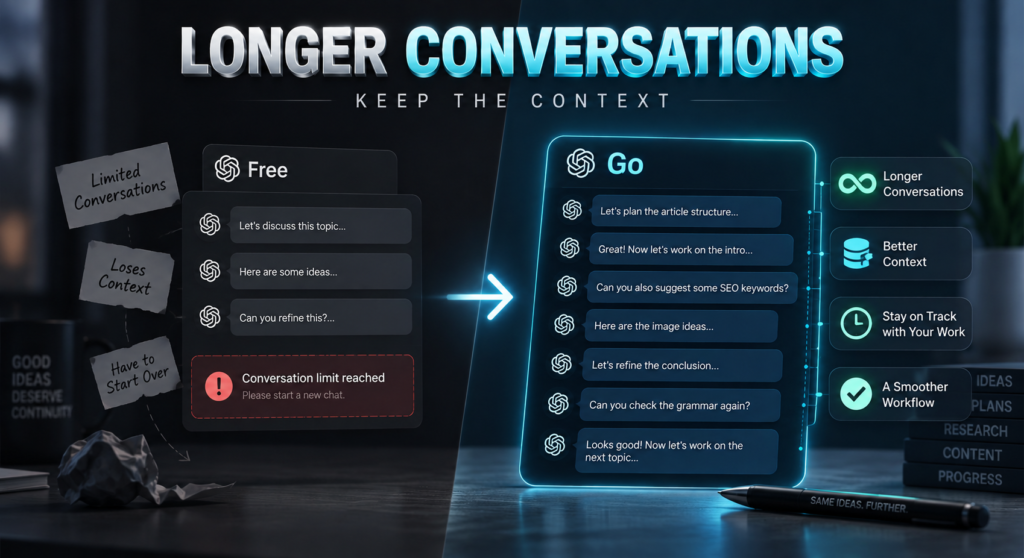
With Free, I sometimes felt that I would quickly reach a point where continuing a long conversation became difficult. With Go, I could keep working through long-running discussions without constantly feeling like I had to start over. For someone like me, who uses the same conversations to work through ongoing projects, that was genuinely important.
And this is probably the best way I can explain the difference between the two plans:
Free gives you access to ChatGPT. Go makes it easier to actually work with ChatGPT.
That doesn’t mean Go is automatically worth the money for everyone. But for someone who regularly uploads images, works on long-running projects, and uses ChatGPT as part of their daily workflow, the difference becomes much harder to ignore.
How I Actually Used ChatGPT Go
One thing I want to make clear before going any further: I didn’t subscribe to ChatGPT Go just to have something to chat with. I actually put it to work.
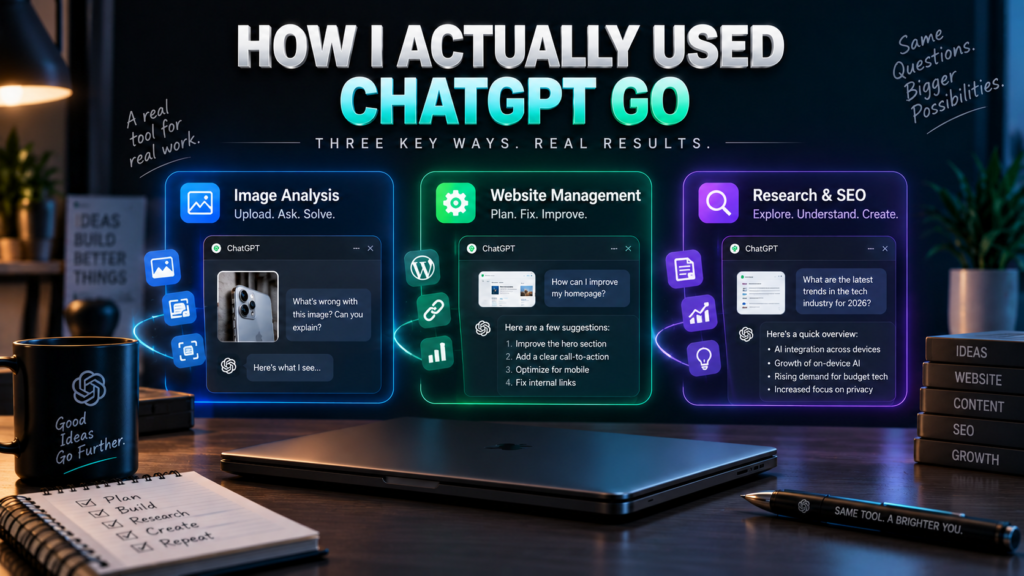
Over the past month, my three biggest use cases have been image analysis, website management, and research. And if I had to choose just one area where ChatGPT has made the biggest difference for me, it would probably be website management.
Image Analysis
I use screenshots a lot when I’m working. Instead of trying to explain every little thing I see on a screen, I can simply upload the image and ask ChatGPT what I’m looking at or what I should do next.
Images became a significant part of my workflow, with roughly 25–30% of my overall ChatGPT usage involving images in some way.
I also used image generation, although considerably less than image analysis. Most of the images I generated were for YouTube thumbnails and social media, while I generally create the thumbnails for my own articles myself.
Website Management
This is probably where ChatGPT Go was most useful to me.
I used it for everything from figuring out how my homepage should look and adding a contact form to understanding internal and external links, managing backups, and dealing with dozens of smaller website-related problems.
Without ChatGPT, I honestly think figuring all of this out on my own could have taken me months.
That doesn’t mean ChatGPT did everything for me. It was more like having someone I could ask whenever I got stuck. I could show it what I was seeing, explain what I wanted to achieve, and work through the problem step by step.
And that’s exactly the kind of use case where the extra image uploads and longer conversations started to make sense.
Research & SEO
Research was another regular part of my usage. I used ChatGPT to explore topics, understand information, and help me with SEO-related work.
My experience here was quite satisfying. I didn’t always treat its answers as the final word, but as a research assistant, it proved useful enough that I wasn’t disappointed with it.
Documents & Files
I also uploaded documents and files for analysis, and this was one area where my experience was particularly impressive.
ChatGPT didn’t just give me a surface-level summary. In several cases, it went through the documents quite carefully and pointed out shortcomings that I could actually work on later.
That made file analysis more than just a convenience—it became something I could use to find problems I might otherwise have missed.
YouTube & Content Work
I also used Go for YouTube-related work, particularly for thumbnail ideas, sharpening scripts and brainstorming new video ideas.
In fact, after subscribing, I deliberately started giving ChatGPT tasks I wouldn’t normally have bothered with on the Free plan. Part of that was simply me testing its capabilities and trying to figure out where the boundaries were.
Interestingly, though, I don’t give ChatGPT credit for actually writing my articles. The ideas and words are primarily mine. I mostly use it to fix grammatical mistakes, improve sentence structure, and make my writing clearer.
And that’s an important distinction for me. I don’t want an AI to replace my thinking—I want it to help me do more with it.
After a month, my three biggest ChatGPT Go use cases would therefore be pretty straightforward:
1. Image analysis
2. Website management
3. Research and SEO
And somewhere along the way, ChatGPT stopped feeling like a tool I occasionally opened and started feeling like a daily work assistant.
The Feature I Didn’t Expect to Value This Much: Long Conversations
If you had asked me before subscribing which ChatGPT Go feature would end up mattering most to me, I probably would have said image uploads or memory.
But after a month of actually using it, I’d put long conversations much higher on that list.
A lot of my work with ChatGPT isn’t something I can finish with a single question. I might start discussing an article, come back to it later, move on to my website, work on something completely different, and then return to that original project.
With the Free plan, I often felt that I was being pushed toward starting a new conversation after only a limited amount of interaction. That made ongoing projects more cumbersome because I had to worry about losing the flow of the discussion.
With Go, that experience has been considerably better.
I can keep a conversation going for much longer without constantly feeling that I’m running out of room. More importantly, ChatGPT generally stays with the context of what we’re discussing, which makes a huge difference when I’m working through something complicated.
This has been particularly useful for my article-writing workflow. Before I start writing an article, I usually discuss the topic with ChatGPT, work out the structure, refine individual sections, and then move on to things like SEO and images. Having that conversation remain usable makes the whole process feel much more connected.
And honestly, if this aspect of Go didn’t work as well as it does, my workflow would be affected significantly—I’d say 100%.
This is also where I started seeing the difference between using ChatGPT as an occasional chatbot and using it as a genuine working assistant.
For me, continuity matters almost as much as capability.
Of course, there is still a caveat. Longer conversations don’t magically mean ChatGPT remembers every single detail forever. As I mentioned earlier, I’ve had situations where it missed some information from an older project after I had spent time working on something else. But when I reminded it, it was generally able to pick things up again.
So no, I wouldn’t call Go’s memory perfect.
But compared with how I experienced the Free plan, the overall continuity has been a significant upgrade.
And this is one of those improvements that may not sound impressive on a feature list—but once you actually depend on it for your work, you start to understand why it matters.
Where ChatGPT Go Disappointed Me
For all the things I liked about ChatGPT Go, there are a few areas where I came away thinking, “Wait, I’m paying for this too—so why is this still missing?”
The biggest one is video generation.
I’ve tried asking ChatGPT to generate videos for me multiple times, but I still couldn’t get it to generate the kind of video I wanted directly from my prompt. Instead, it can help me write a better prompt to use with a video generator.
And honestly, this was disappointing.
If I’m already paying for a plan with expanded access to several capabilities, it’s natural to wonder why I still can’t simply describe the video I want and have ChatGPT create it for me in the way I expect. I understand that different AI capabilities can work differently behind the scenes, but from a paying user’s perspective, this still feels like a missing piece.
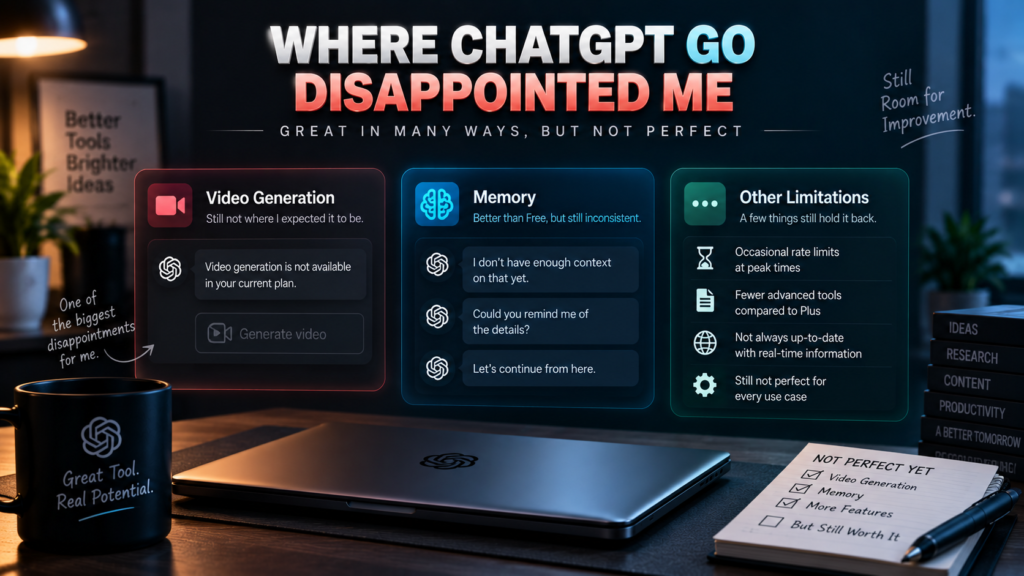
Memory is my second major caveat.
Go’s memory is definitely better than what I experienced on the Free plan, but I wouldn’t call it perfect. When I work across multiple projects and later return to an older one, I’ve occasionally found ChatGPT missing some details that I had previously discussed.
Usually, reminding it is enough to get things back on track. But if I’m paying specifically for a better experience with ongoing work, I’d rather not have to remind it in the first place.
So if OpenAI asked me what I would improve first, better memory would be my answer.
There’s also another issue that is less about a missing feature and more about value.
I don’t think ₹399 (around $4.50) is an unreasonable price for what Go offers. But after using it for a month, I also don’t think it’s cheap enough to recommend to everyone.
In fact, there were moments when I realised that I wasn’t even using every capability included with the plan. Take Codex, for example. I have access to it, but it simply isn’t something I currently need. So there were times when I wondered whether I was actually getting the maximum value from everything available to me.
And that brings me to the biggest question I had after a month:
Is ChatGPT Go actually worth ₹399 a month—or am I simply paying to remove limitations that shouldn’t have been this frustrating in the first place?
That’s where things get a little complicated.
Is ChatGPT Go Worth ₹399 a Month?
After a month of using ChatGPT Go, I’d give its value for money a 7/10.
That might sound slightly contradictory after everything I’ve said so far. I’ve already told you that Go has made my workflow smoother, that I use it almost every day, and that I’m likely to subscribe again. So why only a 7?
Because useful and affordable aren’t necessarily the same thing.
The biggest value I get from Go comes from two things: image uploads and analysis, and better memory. Those are the features that actually solve problems I was having with the Free plan.
For someone who works with screenshots regularly, handles ongoing projects, analyses documents and uses ChatGPT as a daily assistant, that difference can be genuinely valuable. In my case, it has saved me a lot of frustration and made several parts of my workflow considerably easier.
But I still have reservations about the price.
₹399 (around $4.50) a month isn’t expensive in absolute terms, but I don’t think it’s cheap either—especially for the Indian market. I would have been much more enthusiastic about recommending Go if it were priced closer to ₹199 (around $2.25) a month.
At that price, I think a lot more users could justify paying for it.
And I’m not saying OpenAI should simply make Go cheaper for the sake of it. The service is genuinely useful. My point is that there’s a large group of users who don’t need the full capabilities of a more expensive plan but would still benefit from more image uploads, more usage, and better continuity than the Free plan provides.
A cheaper tier could make that jump from Free to paid much easier.
There’s also an important caveat here: I don’t use every capability that comes with Go. Some features simply aren’t relevant to my current workflow. That means there are times when I do wonder whether I’m getting the maximum value from the subscription.
Still, when I look at what I actually use it for, the answer becomes fairly straightforward.
For my workflow, ₹399 is acceptable. For others, I’m not so sure.
If OpenAI increased the price to ₹599 (around $6.75), I would probably start looking for alternatives rather than automatically renewing. At that point, the cost would feel too high to me for what I’m personally getting from the plan.
So my verdict on value is simple:
7/10.
Good enough to pay for. Not cheap enough to stop thinking about the price.
Who Should Actually Buy ChatGPT Go?
After using ChatGPT Go for a month, I don’t think the right question is simply “Is ChatGPT Go worth it?”
The better question is: “Is it worth it for the way you use ChatGPT?”
Because if you’re a casual user who opens ChatGPT once in a while, asks a few questions, and occasionally uploads an image, I honestly don’t see much reason to pay for Go.
For those users, I’d say stick with Free.
Spending ₹399 a month just to ask a handful of extra questions or upload a few more images doesn’t make much sense to me. You’re paying for capabilities that you may barely use.
But things change completely if ChatGPT has become part of your actual workflow.
If you’re regularly uploading screenshots, working on long-running projects, analysing documents, researching topics, managing a website, creating content, or using ChatGPT as a daily assistant, Go starts making considerably more sense.
That’s where I would put myself.
My work involves a lot of image analysis, website management, and research. I also rely on long conversations when working on articles and other projects. For that kind of usage, the Free plan’s limitations can become genuinely frustrating, while Go makes the whole experience much smoother.
So yes, I would recommend ChatGPT Go—but with a caveat.
Don’t buy it simply because it’s a paid plan. And don’t assume that paying for Go automatically means you’ll get enough extra value to justify the subscription.
First look at what you actually do with ChatGPT. Then ask yourself what is stopping you from doing that on the Free plan.
If you’re regularly hitting limits and those limits are affecting your work, Go could be worth it.
If you’re not, save your ₹399.
That’s probably the most honest recommendation I can give.
Would I Renew ChatGPT Go?
This is where I’m still a little conflicted.
If you had asked me immediately after my first month, “Would you pay ₹399 again?”, my answer probably wouldn’t have been an enthusiastic yes.
It would be “Depends.”
And I think that answer is actually more honest than simply saying yes or no.
On one hand, I genuinely feel that ChatGPT Go has improved my productivity. It has become a regular part of how I manage my work, especially when I’m analysing images, working on my website, researching something, or continuing a long-running project.
I also start my articles by discussing them with ChatGPT. I use those conversations to shape my thoughts before I begin writing, and that has become such a regular part of my workflow that I can’t really imagine going back to doing it without ChatGPT.
So from a practical standpoint, yes, I will probably subscribe again.
But that doesn’t mean I think the pricing is perfect.
I still believe ₹399 a month is a little higher than it ideally should be, particularly for the Indian market. If Go were available for around ₹199, I’d have far fewer reservations about recommending it.
And if the price ever went up to ₹599, I wouldn’t automatically renew. I’d start looking at alternatives.
So why am I renewing despite all these reservations?
Because the work gets done.
That’s ultimately what matters to me.
ChatGPT Go has become less of a “nice AI tool to have” and more of a practical assistant that I rely on throughout my workday. The extra image uploads, better memory, and ability to maintain long conversations have removed enough friction from my workflow that going back to Free would genuinely feel like a downgrade.
I just wish I didn’t have to think quite so much about the price.
So, would I renew? Yes. Would I renew without hesitation? No.
And perhaps that contradiction perfectly sums up my one-month experience with ChatGPT Go.
Final Verdict: 8/10
After a month with ChatGPT Go, I can say one thing with confidence: I made the right decision by subscribing to it. To be clear, my 7/10 rating earlier was specifically for value for money. This final 8/10 rating reflects my overall experience with ChatGPT Go.
Does that mean I think everyone should pay for it? Absolutely not.
For me, Go has genuinely improved my productivity. It has made image analysis easier, helped me manage my website, supported my research, made long conversations much more practical and become a regular part of how I work on my articles and other projects.
But the caveats are real.
The memory still isn’t as reliable as I’d like it to be. Video generation is still a disappointment for me. And while ₹399 (around $4.50) is reasonable for what I personally get from the plan, I still think a lower price—ideally around ₹199 (around $2.25)—would make Go much more attractive, especially in India.
So after everything I’ve experienced, my final rating for ChatGPT Go is 8/10.
And if you ask me what ChatGPT Go has become for me after a month, I’d describe it in two words:
A headache reducer.
Not because it can do everything. It clearly can’t.
Not because every answer is dramatically better than Free. It isn’t.
And certainly not because everyone needs to pay for it. Most people probably don’t.
It simply removes enough friction from my daily workflow that I can focus more on the work itself and spend less time worrying about ChatGPT’s limitations.
That’s ultimately what I paid for—and for me, that has been worth it.
But before you spend your own ₹399, I’d suggest doing what I did in reverse: look at your work first, figure out how much ChatGPT can actually help you with, and then ask yourself whether the Free plan is genuinely getting in your way.
If it is, Go could be worth the money.
If it isn’t, keep your ₹399.
Because sometimes the best upgrade isn’t the one with more features.
It’s the one that solves a problem you actually have.