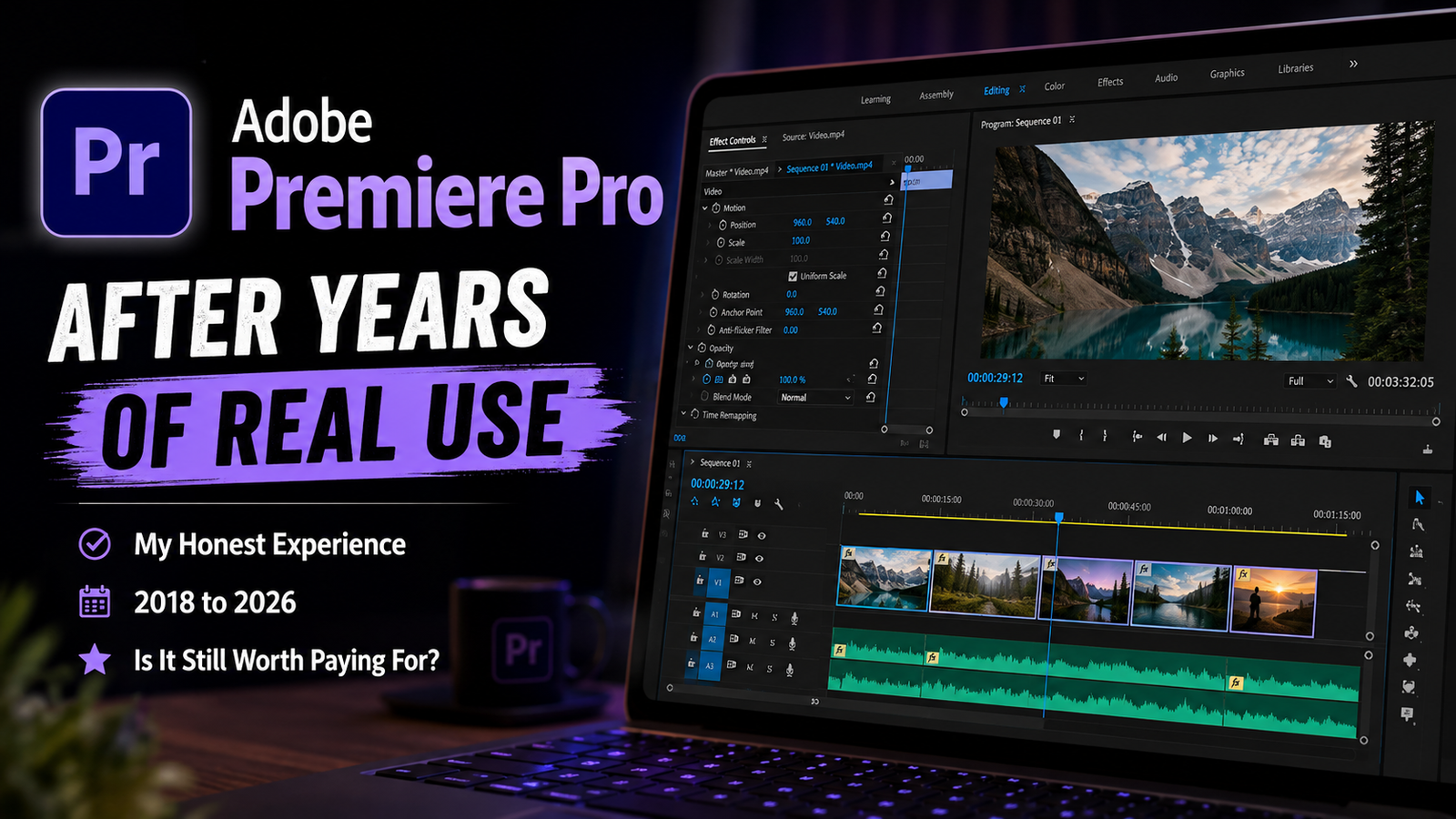
Adobe Premiere Pro After Years of Use: Is It Still Worth Paying For in 2026?
Introduction
I first tried Adobe Premiere Pro back in 2018. At the time, I was nowhere close to being a professional video editor—and I wasn’t even using a paid version.
Back then, I was coming from Camtasia Studio, and Premiere Pro was simply a name I kept hearing whenever video editing came up. It had a reputation for being a serious editing tool, so I decided to give it a try.
Fast-forward several years, and things look quite different. I’ve gone from figuring out how Premiere Pro works to using it regularly for my own videos and occasionally for videos made for friends. I eventually moved to a paid subscription in July 2024, and since then, my experience with Premiere Pro has become much more stable and feature-rich.
But after using the software for years, one question still matters more than the number of features Adobe keeps adding: is Premiere Pro actually worth paying for in 2026?
I’ve worked on everything from 1080p projects on my PC to 4K footage on my laptop, experimented with features like Enhance Speech, Motion Graphics, and AI-powered tools, and gradually built a workflow that works for me.
So, after years of using Adobe Premiere Pro, is it still the video editor I’d choose today—and is the subscription worth the money?
This is my honest experience.
How I Started Using Adobe Premiere Pro
My first experience with Adobe Premiere Pro dates back to 2018. At that point, I had already been using Camtasia Studio, but I was looking for something that felt more like a serious, full-fledged video editing tool.
Premiere Pro was already a popular name in video editing, and that reputation was the main reason I decided to give it a try. I didn’t choose it after comparing a long list of editors or because I had a specific professional requirement in mind. I simply kept hearing about Premiere Pro, and I wanted to see what made it so popular.
My first impression was actually quite positive. I wouldn’t call Premiere Pro easy to learn, especially when you’re seeing the interface for the first time, but I also didn’t find it overwhelmingly complicated. Like any new software, there was a learning curve, but I gradually became comfortable with the way it worked.
Over time, that initial curiosity turned into something much more practical. I started understanding the tools, building my own editing habits, and eventually making Premiere Pro a regular part of my video workflow.
Today, I still use it to edit my own videos as well as some videos for friends. What started in 2018 simply because I wanted to try a popular editing software has now become a tool I rely on regularly.
And looking back, I think that initial learning curve was worth going through—not because Premiere Pro is necessarily the only editor worth learning, but because once you become comfortable with a tool, it can become a natural extension of your workflow.
From a Cracked Version to a Paid Subscription
My early experience with Premiere Pro wasn’t exactly smooth. During 2018–19, I did run into issues such as lag, projects occasionally failing to save, and even crashes while exporting videos.
However, there’s an important context here: I was using a cracked version of Premiere Pro at the time. Because of that, I don’t think it would be fair to blame those problems entirely on Premiere Pro itself.
Things changed in July 2024, when I finally started using a paid subscription.
By then, I was already quite comfortable with Premiere Pro, so moving to the paid version wasn’t about learning a completely new editor. Instead, I suddenly had access to several features that made the overall workflow considerably more useful for me, including features that rely on Adobe’s online services.
The biggest difference I noticed was how stable my overall experience became. Since switching to the paid version, I haven’t experienced the kind of lag and crashes that affected my earlier experience with the unofficial version.
The paid version also opened up several additional features that gradually became part of my workflow. Over time, things like Enhance Speech, Motion Graphics, colour-related tools, and AI-powered features made Premiere Pro feel considerably more capable than the software I had first experimented with years earlier.
Looking back, the transition from my early experience to the paid version feels quite significant. But I also think it’s important to separate the two experiences fairly. My problems with the old version happened while I was using an unofficial copy, whereas my experience with the paid version has been consistently positive.
Since switching to the paid version, I haven’t experienced any major stability issues that have made me question the software itself.
What I Use Premiere Pro For Today
Today, I mainly use Adobe Premiere Pro to edit my own videos and videos for a few friends. Over the years, my editing workflow has also changed quite a bit, particularly when it comes to the footage I work with.
When I was editing on my PC, I mostly worked with 1080p footage. It was more than enough for the kind of videos I was making at the time, and that was essentially my normal workflow.
Things changed when I started editing on my laptop. Since then, I’ve been working with 4K footage, and surprisingly, the transition hasn’t created the kind of performance problems I might have expected.
I use Premiere Pro for the entire editing process rather than relying on it for just one particular task. Cutting and arranging clips, working with multiple clips together, adding built-in effects, using Motion Graphics Templates, improving audio with Enhance Speech, and doing basic colour correction are all part of my regular workflow. I take a similar approach with the other tools and services I use regularly, focusing on how they fit into my overall workflow.
What I like most is that I don’t have to constantly think about the software while I’m editing. Once the project is set up, I can concentrate on the actual video rather than fighting with the editor.
That, for me, is an important part of what makes a video editing tool useful. The software should support your workflow, not become the workflow.
The Features I Use the Most
Over the years, I’ve used plenty of Premiere Pro’s features, but a few have become a regular part of my editing workflow.
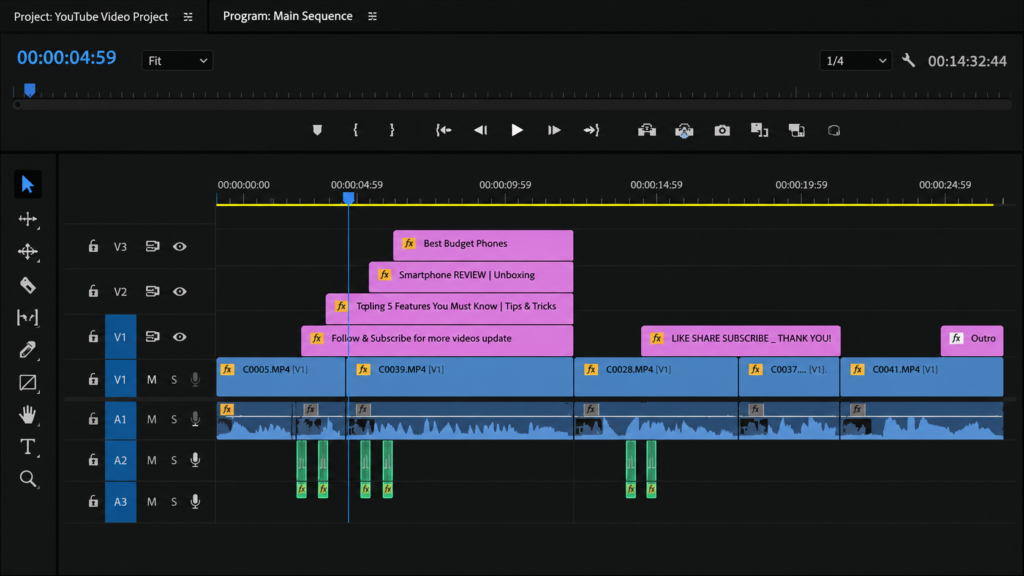
The one I use the most is working with multiple clips together. Being able to handle and edit multiple clips as part of the same workflow makes a noticeable difference when I’m putting a video together. It keeps the editing process organised and lets me work through a project much more efficiently.
The second feature that has impressed me over the years is Enhance Speech. This has been particularly useful when the original recording isn’t ideal. In my experience, it can make poor or roomy audio sound noticeably better, which can save a lot of time that would otherwise go into trying to clean up the recording manually.
Then there are the AI-related tools that Adobe has gradually introduced and improved. I wouldn’t say there’s one particular AI feature that defines my Premiere Pro experience, but the addition of AI-powered capabilities has made the software more capable over time.
I also regularly use built-in effects, Motion Graphics Templates, and basic colour correction. These aren’t necessarily the features that convinced me to use Premiere Pro in the first place, but they’ve become useful parts of my everyday workflow.
What I appreciate most is that these features don’t exist in isolation. They work together as part of the editing process, which is ultimately what matters to me. A feature is only really useful when it makes the actual work easier or faster.
And after years of using Premiere Pro, I’ve found that the features I value most aren’t necessarily the flashiest ones—they’re the ones that consistently save me time during an actual project.
Editing 4K Footage: How Has Performance Been?
One of the biggest changes in my editing workflow over the years has been moving from 1080p editing on my PC to 4K editing on my laptop.
I was initially a little curious about how Premiere Pro would handle 4K footage on my laptop, especially during real-time editing. But in my experience, it has worked surprisingly well.
When I’m editing, I usually turn on Performance Mode, and with that enabled, I haven’t noticed any significant lag during real-time playback. I can move through the timeline and work with 4K footage without feeling like the software is constantly struggling to keep up.
Exporting and rendering have also been smooth in my experience. I haven’t faced any major issue where a 4K project became difficult to export or render simply because of the resolution.
Of course, 4K editing can be demanding depending on the hardware, project and footage involved, so I wouldn’t take my experience as a guarantee that Premiere Pro will perform identically on every computer.
But speaking purely from my own experience, Premiere Pro has handled my transition to 4K editing without giving me any major performance headaches.
And that’s important to me because I don’t want to spend more time waiting for my editor than actually editing my video.
Stability: My Experience With Premiere Pro
Stability is one area where my experience with Premiere Pro has changed quite noticeably over the years.
Since I started using the paid version in July 2024, I haven’t faced any major stability problems that have disrupted my editing workflow. Projects have been saving reliably, exports have worked without major crashes, and I haven’t had to constantly worry about the software becoming unresponsive in the middle of my work.
For me, that dependability has become an important part of the editing experience. A good editing workflow isn’t just about having powerful features; the software also needs to stay out of the way when you’re actually trying to get work done.
After more than two years with the paid version, stability is something I now take for granted—which, honestly, is probably exactly how it should be.
What I Like About Premiere Pro
After using Premiere Pro for years, what I appreciate most isn’t any single feature. It’s how familiar the entire editing process has become.
When I start a project today, I generally know where the tools I need are, how I want to approach the edit, and what my workflow is going to look like. That familiarity means I spend less time figuring out the software and more time actually working on the video.
I also appreciate that Adobe has continued improving Premiere Pro over time. Newer capabilities, including AI-powered tools, have added more possibilities without forcing me to completely change the way I work. The software has evolved, but my workflow has been able to evolve with it.
Another thing I value is that Premiere Pro has become predictable for me. I know what to expect when I open a project, and that consistency matters when you’re working on something regularly.
That wasn’t the case when I first opened Premiere Pro in 2018. Back then, the interface honestly looked intimidating. There were so many panels, options, and controls that it could feel overwhelming just looking at the screen.
But with consistent use, that complexity gradually stopped feeling like a problem. I learned where things were, understood the terminology, and developed my own way of working.
And perhaps that’s what I like most about Premiere Pro now: it has stopped feeling like complicated software and started feeling like a tool I know how to use.
Is Adobe Premiere Pro’s Subscription Worth It?
I genuinely like Adobe’s subscription model, at least for how I use Premiere Pro.
I started paying for Premiere Pro in July 2024, and I currently use the individual plan, which costs me around ₹733 per month (about $7.72 at the exchange rate when this article was written).
What makes the subscription worthwhile for me isn’t simply the fact that I get access to the latest version of the software. It’s the combination of the features, online services, and overall workflow that comes with it. Over time, Adobe has added tools that have genuinely made my editing process more convenient, rather than simply adding features for the sake of adding them.
I also prefer the subscription approach over having to pay a large amount upfront for a piece of software and then potentially pay again for major upgrades. For someone who edits regularly and relies on the software for actual work, a predictable monthly or yearly payment makes sense to me.
That said, there is a limit to how much I’d be willing to pay.
At my current ₹733/month (about $7.72), I’d rate Premiere Pro’s value for money around 7/10. If the price went above ₹1,000 per month (about $10.53), I’d seriously reconsider the subscription and start looking at alternatives.
That doesn’t mean I would suddenly stop liking Premiere Pro. It would simply mean that the software would have to justify a significantly higher recurring cost, and at that point, value for money would become a much bigger factor in my decision.
For now, though, I’m comfortable with what I’m paying and the value I’m getting from the software.
Should Beginners Start With Premiere Pro?
If you’re completely new to video editing, I wouldn’t necessarily recommend starting with Adobe Premiere Pro right away.
That’s not because Premiere Pro is a bad choice. Quite the opposite—it’s a capable and powerful editor. But when you’re seeing its interface for the first time, the number of panels, tools, settings, and editing terminology can feel overwhelming.
I experienced that myself when I first opened Premiere Pro back in 2018. It took time to understand how everything worked and, more importantly, develop a workflow that felt natural.
For a complete beginner, I’d actually suggest starting with a simpler video editing app first. Learn the basic terminology, understand timelines, cuts, transitions, audio, effects, and the general process of putting a video together. Once those concepts become familiar, moving to a more advanced editor becomes much less intimidating.
That doesn’t mean you need to switch to Premiere Pro later. If the simpler software you’re using already does everything you need, there’s nothing wrong with staying with it.
My advice is simple: learn the tool you’re using, become comfortable with it, and then gradually improve your speed and workflow. Don’t switch editors simply because someone says one particular software is the “best.”
For me, Premiere Pro works because I’ve spent years learning it and building a workflow around it. The software is only a tool; your ability to use that tool effectively is what ultimately matters.
Do I Recommend Premiere Pro Over Other Editors?
I don’t think it would be fair for me to tell you that Adobe Premiere Pro is better than Final Cut Pro, DaVinci Resolve, or CapCut, because I haven’t personally used those editors enough to make a meaningful comparison.
And honestly, after using Premiere Pro for years, I’ve started to think about video editing software a little differently.
If you’ve already been using a particular editor for a long time and you’re comfortable with it, I don’t think you need to switch just because another editor is more popular or someone says it’s better. Your familiarity with the software, your workflow, and the speed at which you can get your work done matter much more.
That’s how I look at Premiere Pro today. I’m comfortable with it, I know where the tools I need are, and I’ve built a workflow around it. Switching to another editor simply to see whether it might be better wouldn’t necessarily make my work better—it could just mean spending time learning another tool.
Of course, different editors will suit different people and different workflows. Someone who is already comfortable with Final Cut Pro or DaVinci Resolve may have absolutely no reason to move to Premiere Pro.
The best editing software isn’t necessarily the one with the longest feature list. It’s the one you know well enough to turn your ideas into finished videos efficiently.
For me, this software is Adobe Premiere Pro.
Is Adobe Premiere Pro Still Worth Paying For in 2026?
After using Adobe Premiere Pro for years, my answer is yes—but mainly because it fits the way I work.
At my current price of ₹733/month (about $7.72), I’d rate its value for money at 7/10. I use Premiere Pro regularly; I’ve built a workflow around it, and the features I rely on genuinely make my editing process easier. So to me, the subscription is justified.
But I wouldn’t say that means Premiere Pro is automatically worth the same price for everyone.
If you’re a beginner, I’d still recommend starting with a simpler editor and learning the fundamentals first. And if you’re already comfortable with another editing software that does everything you need, there’s no compelling reason to switch just because Premiere Pro is a popular professional tool.
My own limit is fairly clear, too. If the subscription goes above ₹1,000/month (about $10.53), I’d start looking at alternatives. At that point, the software would have to offer enough additional value to justify the higher recurring cost.
For me, though, that threshold hasn’t been reached yet. Premiere Pro has become a familiar part of my workflow, and that familiarity itself has value.
So, is Premiere Pro worth paying for in 2026? For me, yes. Not because it’s necessarily the best editor for everyone, but because it’s the editor I know, trust, and can work efficiently with.
And after years of using it, that matters more to me than simply having the longest list of features.
My Rating: 8/10
After using Adobe Premiere Pro for years, I’d give it an overall 8/10.
Its biggest strengths for me are the workflow, stability, powerful editing tools, Enhance Speech, AI-powered features, and the fact that I’ve become genuinely comfortable using it. Once you know the software well, it becomes much easier to focus on the video rather than the editor itself.
I’d give its value for money 7/10 at my current ₹733/month price. I think the subscription is reasonable for the way I use Premiere Pro, but I’d start questioning that value if the monthly cost went above ₹1,000.
I’m also not giving it a higher score simply because I don’t think any software needs to be treated as perfect. Premiere Pro works extremely well for my workflow, but that doesn’t automatically make it the right choice for everyone.
8/10 feels like the right score for my experience.
Conclusion
After years of using Adobe Premiere Pro, I’ve realised that the most important thing about editing software isn’t how many features it has. It’s how well you can use those features to turn your ideas into finished work.
I started using Premiere Pro in 2018 because it was simply a name I kept hearing in the world of video editing. I didn’t know much about it then, and the interface initially looked intimidating. But I kept learning, gradually became comfortable with it, and eventually built a workflow that works for me.
Today, I edit 4K footage on my laptop, use features like Enhance Speech and AI-powered tools, and rarely have to think about the software itself while I’m working. That’s probably the biggest sign that I’ve learned the tool well enough for it to become a natural part of my workflow.
Would I recommend Premiere Pro to everyone? No. A beginner may be better off starting with something simpler, while someone already comfortable with another editor may have no reason to switch.
But for me, Premiere Pro has earned its place.
I was already drawn to Adobe when I first started using its software, but what really made Premiere Pro work for me was my willingness to learn it. Once I put in the time to understand the software and build a consistent workflow, the complexity stopped feeling like a barrier and started becoming an advantage.
And that’s perhaps the biggest lesson I’ve taken away from all these years of editing: the software is only a tool. Your workflow, consistency, and willingness to learn are what ultimately matter.
For me, Adobe Premiere Pro is still worth paying for in 2026. 8/10.


One Comment